
Hackers Have Moved Beyond Email: Now They’re Calling You in Microsoft Teams
You’ve trained your employees not to click suspicious emails. But what happens when the hacker simply calls them at work?
For years, cybersecurity awareness training has focused heavily on email. Employees have been taught to watch for strange links, unexpected attachments, suspicious sender addresses and urgent requests.
Unfortunately, cybercriminals know this too.
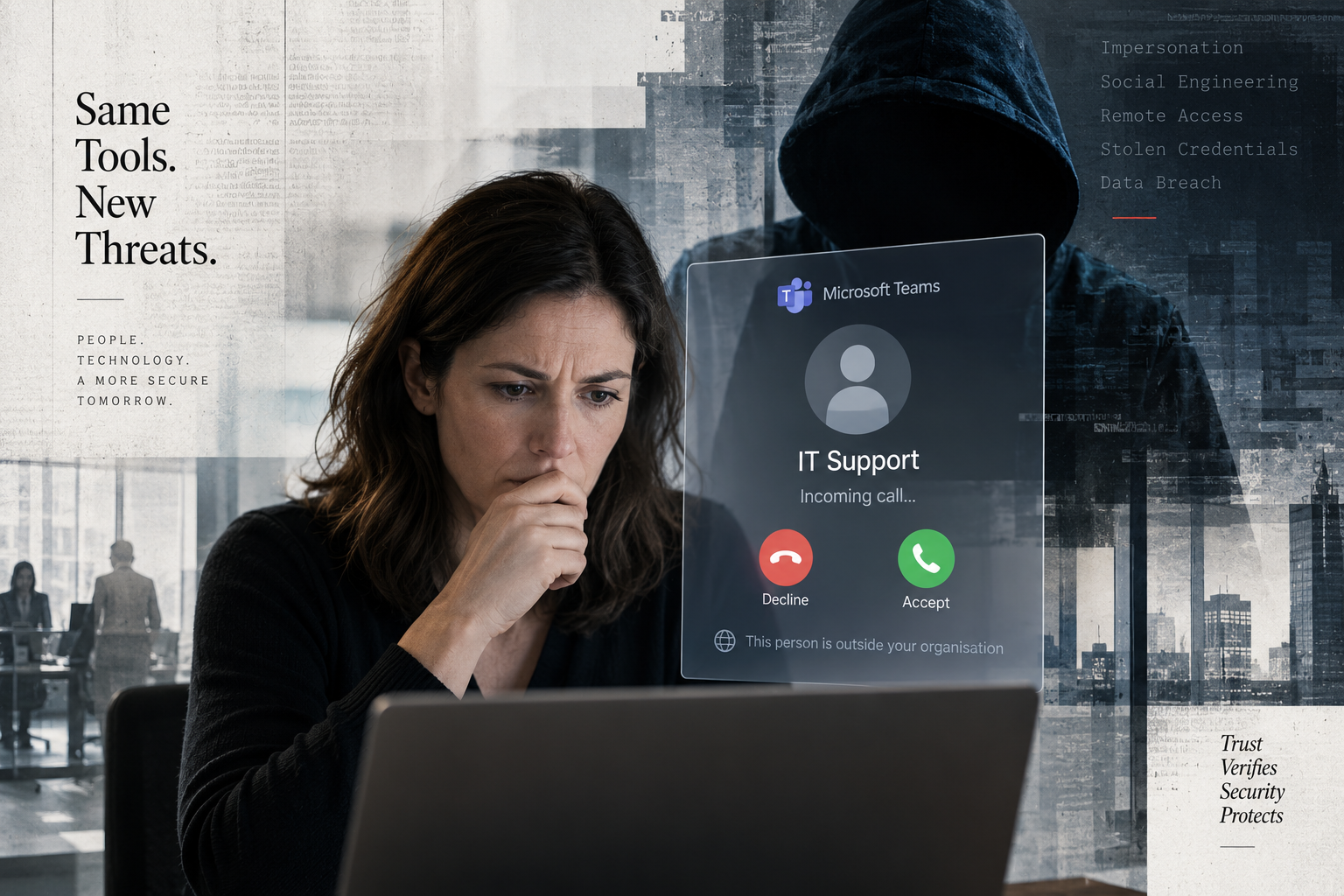
Attackers are increasingly moving beyond the inbox and targeting the communication tools employees use every day, including Microsoft Teams. Instead of sending an obvious phishing email, an attacker may contact an employee directly through Teams while pretending to be a member of the company’s IT department, help desk or technical support provider.
The conversation can look and feel surprisingly legitimate. And because it takes place inside a familiar business application, employees may be more likely to trust it.
What Does a Microsoft Teams Attack Look Like?
Imagine one of your employees is working when a Microsoft Teams message appears.
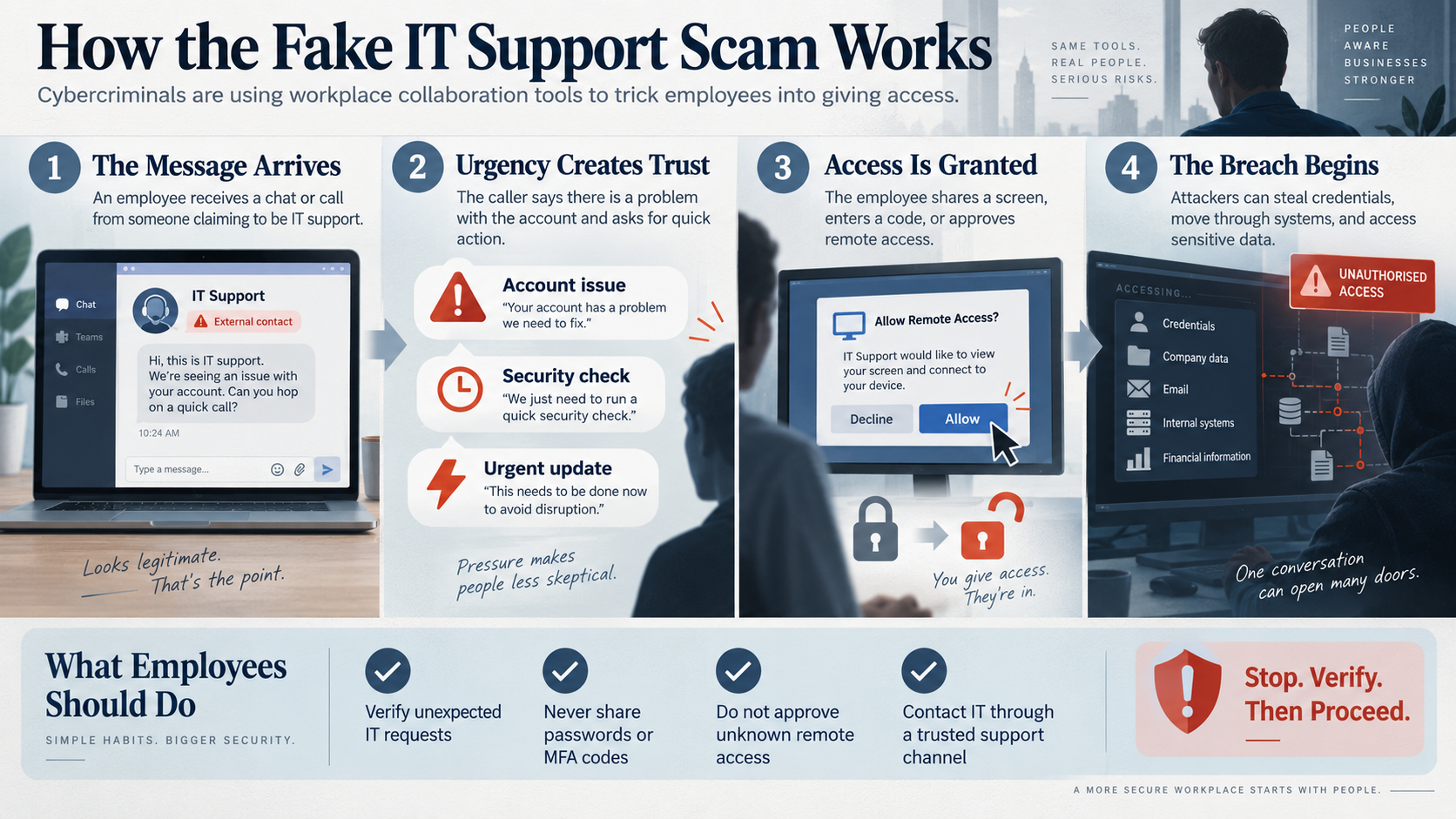
The sender claims to be from IT support and says there is a problem with the employee’s Microsoft 365 account. Perhaps the account is about to be locked, a security update needs to be installed or suspicious activity has been detected.
The attacker might then ask the employee to:
- Join a Teams call.
- Share their screen.
- Open Microsoft Quick Assist or another remote-support application.
- Enter a support code.
- Approve a remote-control request.
- Install a supposed security update.
- Visit a website and enter their Microsoft 365 credentials.
- Approve a multifactor authentication request.
Every step may appear reasonable if the employee believes they are communicating with the company’s legitimate IT support team.
Once the attacker gains remote access to the computer, however, the situation can change very quickly.
The Hacker May Not Need to “Hack” Anything
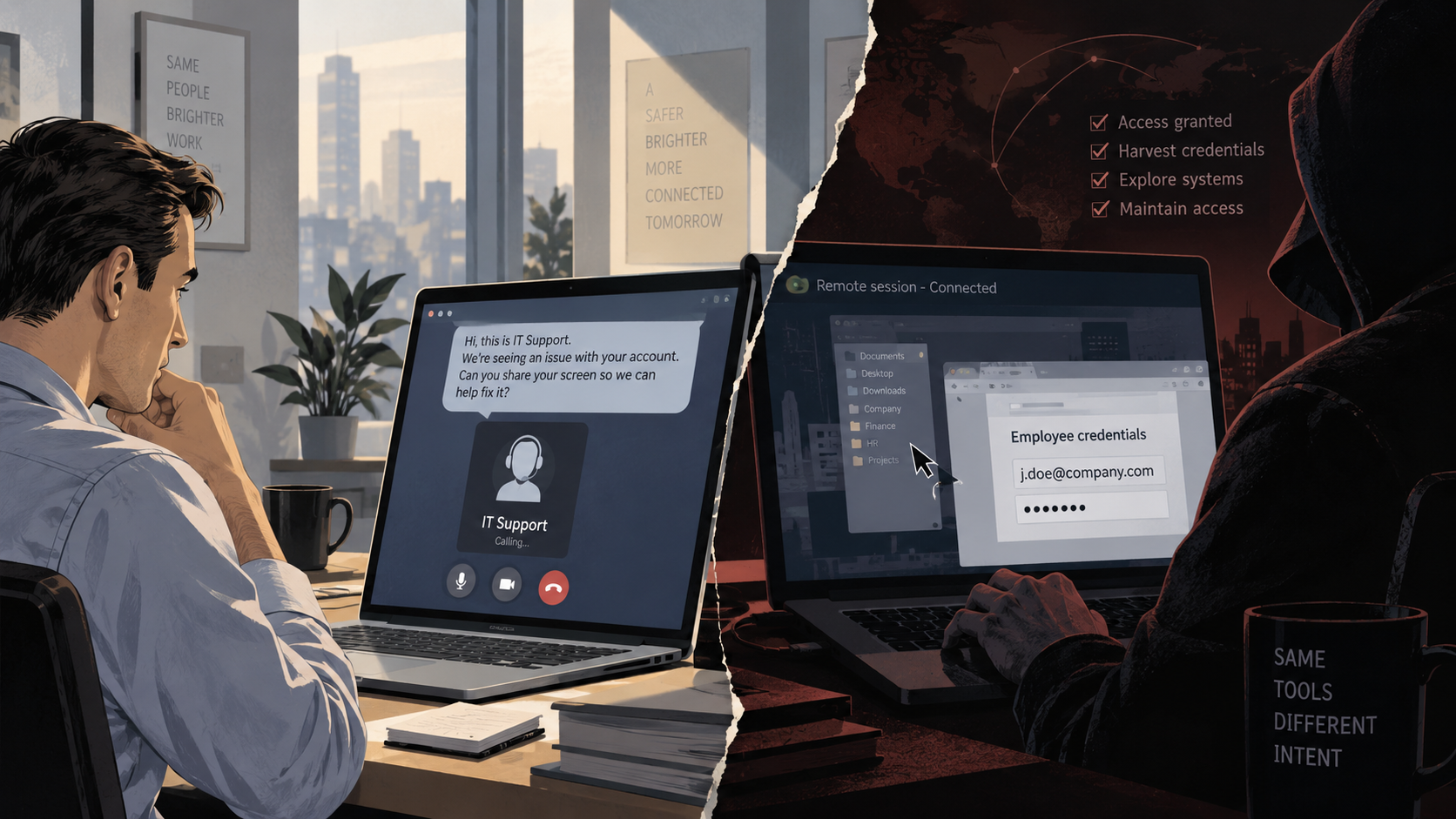
One of the most important lessons from modern cyberattacks is that criminals do not always need to break through a firewall or discover a sophisticated software vulnerability.
Sometimes they simply convince an employee to let them in.
This is what makes social engineering so effective.
If an employee voluntarily gives someone remote control of a computer, the attacker may be able to operate the machine much like the employee can. Depending on the employee’s permissions and the organisation’s security controls, that access could potentially be used to install software, steal credentials, search for sensitive files or attempt to reach other systems on the network.
What appears to be a five-minute IT support call can potentially become the beginning of a much larger security incident.
Why Microsoft Teams Can Feel More Trustworthy Than Email
Most employees have learned to be at least somewhat suspicious of unexpected email.
Microsoft Teams is different.
Employees use Teams to communicate with co-workers, managers, vendors and IT personnel throughout the day. Messages often require immediate responses, and calls may happen with little warning.
That familiarity creates an opportunity for attackers.
A message appearing inside a workplace collaboration platform can feel more legitimate than an email arriving from an unfamiliar address. If the attacker also uses technical language, creates a sense of urgency and claims the employee’s account is at risk, the pressure to cooperate can become even stronger.
“Your Account Will Be Disabled”
Urgency remains one of the most effective tools used in social engineering.
An attacker may tell an employee:
- “Your Microsoft 365 account has been compromised.”
- “We need to apply an urgent security update.”
- “Your account will be disabled unless we verify it.”
- “We detected malware on your computer.”
- “Your spam filter needs to be updated.”
- “We need remote access to fix a problem with your device.”
The goal is to prevent the employee from stopping long enough to question the request.
A successful social-engineering attack often depends less on technology and more on psychology. Fear, authority and urgency can cause people to act before verifying who they are actually communicating with.
Employees Need to Know Exactly How IT Support Works
This is where many businesses can dramatically improve their security.
Employees should never have to guess whether an IT support request is legitimate.
Your company should have a clearly defined process for contacting technical support and for verifying unexpected support requests.
For example, employees should know:
- How the legitimate IT support team normally contacts them.
- What information IT will and will not request.
- Whether IT staff will ever initiate an unexpected remote-control session.
- How to independently verify the identity of someone claiming to be from IT.
- Who to contact if a message, phone call or Teams request seems suspicious.
If someone unexpectedly claims to be from IT, employees should be encouraged to end the conversation and contact their known support provider using the company’s established telephone number, email address or help-desk system.
That simple verification step can stop an attack before it begins.
Be Careful With Remote Access
Remote-support tools are incredibly useful. Legitimate IT professionals use them every day to troubleshoot computers and assist users.
Unfortunately, the same technology can also be abused by criminals.
Employees should never grant remote access simply because someone asks them to.
Before allowing anyone to remotely control a business computer, employees should be certain the request came from an authorised member of the organisation’s IT team or managed IT provider.
If there is any doubt, verify first.
Multifactor Authentication Still Matters — But Employees Must Understand It
Multifactor authentication remains one of the most important protections businesses can enable for Microsoft 365 and other cloud services.
However, MFA is not a substitute for security awareness.
If an attacker convinces an employee that they are legitimate IT support, they may also convince that employee to approve an authentication request.
Employees should understand that an unexpected MFA notification can itself be a warning sign.
If someone receives an authentication request they did not initiate, they should deny it and immediately report the incident to IT.
Review External Access in Microsoft Teams
Businesses should also review how Microsoft Teams is configured.
Teams can allow communication with people outside an organisation, which is extremely useful when collaborating with customers, vendors and partners. However, organisations should make sure those capabilities match their actual business requirements.
IT administrators should periodically review areas such as:
- External access policies.
- Guest access.
- Microsoft 365 security settings.
- User permissions.
- Conditional Access policies.
- Multifactor authentication.
- Endpoint protection.
- Remote-management software.
- Administrator privileges.
- Security alerts and login activity.
Security should not depend on employees recognising every possible attack. Multiple layers of protection help reduce the chance that one mistake becomes a major breach.
What Should an Employee Do If “IT Support” Suddenly Contacts Them?
A simple rule can make a significant difference:
Stop, verify and then proceed.
If someone unexpectedly contacts you through Microsoft Teams claiming to be from IT:
- Do not immediately follow their instructions.
- Check whether the contact is identified as external.
- Do not provide passwords or authentication codes.
- Do not approve unexpected MFA requests.
- Do not install software you were not expecting.
- Do not grant remote control of your computer until the request has been verified.
- Contact your IT provider through a telephone number, support portal or email address you already know is legitimate.
A legitimate IT professional will understand why you want to verify their identity.
Cybersecurity Training Needs to Move Beyond Email
Traditional phishing training is still important, but today’s employees need to understand that cyberattacks can begin almost anywhere.
A suspicious request might arrive through:
- Email.
- Microsoft Teams.
- Text messaging.
- A telephone call.
- Social media.
- A video meeting.
- A fake support website.
- A remote-access application.
The communication method changes, but the objective is often the same: convince someone inside the business to provide access, reveal information or perform an action that benefits the attacker.
Your IT Support Company Should Be Part of Your Security Strategy
Cybersecurity is no longer simply about installing antivirus software and hoping for the best.
Modern business security requires a combination of technology, monitoring, good policies and employees who know how to respond when something unusual happens.
A trusted IT support provider can help businesses review Microsoft 365 security, manage user accounts, configure appropriate access controls, protect computers, monitor suspicious activity, maintain backups and establish clear procedures employees can follow when they receive an unexpected request.
Most importantly, employees should always know exactly who to call when they are unsure.
Before You Trust “IT Support,” Verify It
Cybercriminals understand that employees trust their IT departments. That trust is exactly what makes IT support impersonation so effective.
The next phishing attempt targeting your business may not arrive as a badly written email with an obvious malicious attachment.
It could arrive as a perfectly normal-looking Microsoft Teams message.
Or a phone call.
Or someone calmly saying:
“Hi, this is IT. We noticed a problem with your account. Can you give me remote access for a minute?”
Make sure your employees know what to do next.
If your organisation needs help reviewing Microsoft 365 security, employee access, cybersecurity policies or IT support procedures, contact us. We can help identify potential weaknesses and put practical safeguards in place before a suspicious call becomes a serious security incident.
Have Concerns With What Your IT Services Company Is Actually Doing For You?
Get A Second Opinion Right Now.